TomeHaven app icon: a bookcase shaped like the letter H

TomeHaven

Beautiful bookshelves and a lightning fast reader for your PDF and EPUB books. Made for RPGs.

Coming soon to Google Play For Android 12 or newer

TomeHaven is a PDF and EPUB reader made specifically for tabletop roleplaying game players, and for anyone who wants to proudly show off their collection. It displays your books beautifully, helps you organise and find them, and lets you read them smoothly and sharply.

Explore TomeHaven's features

These screenshots show a fictional demonstration library with openly licensed, human-made artwork. Store page art credits.

The bookcase

Your RPG library, shelved

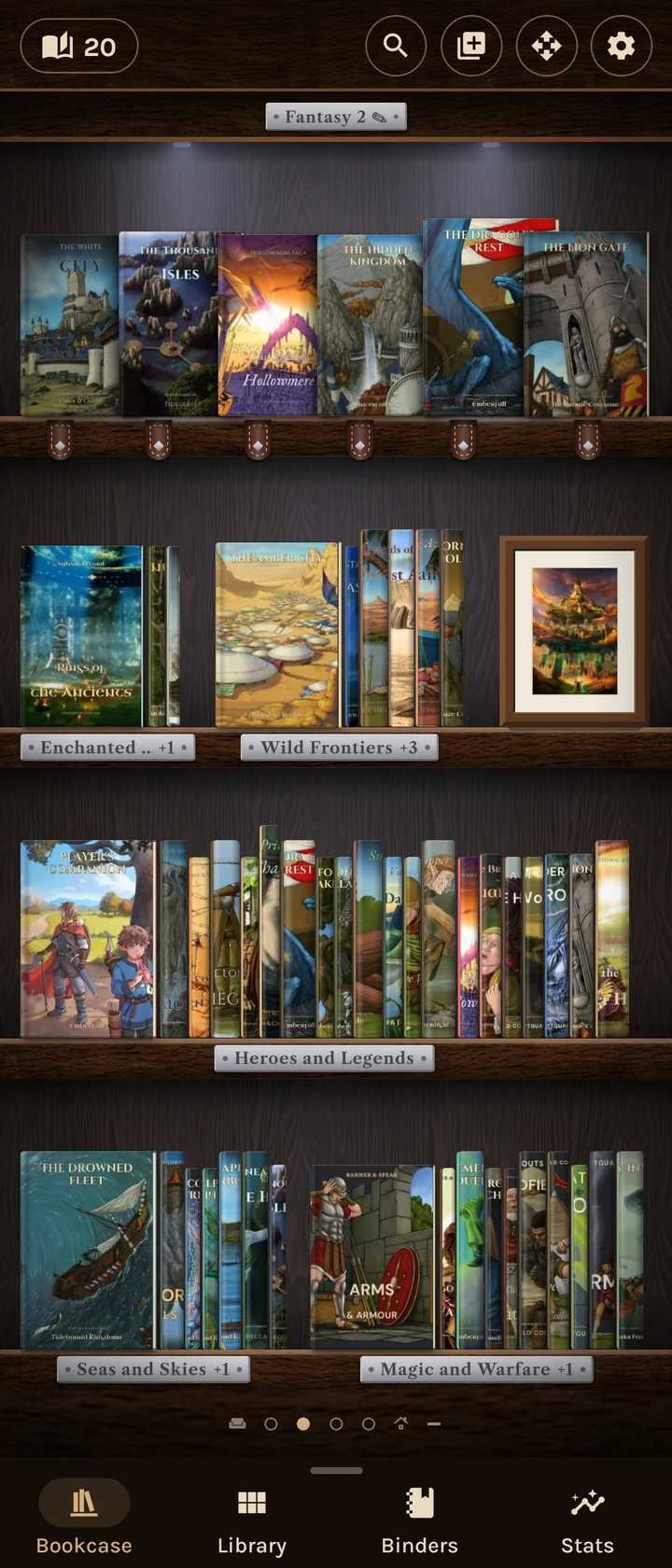
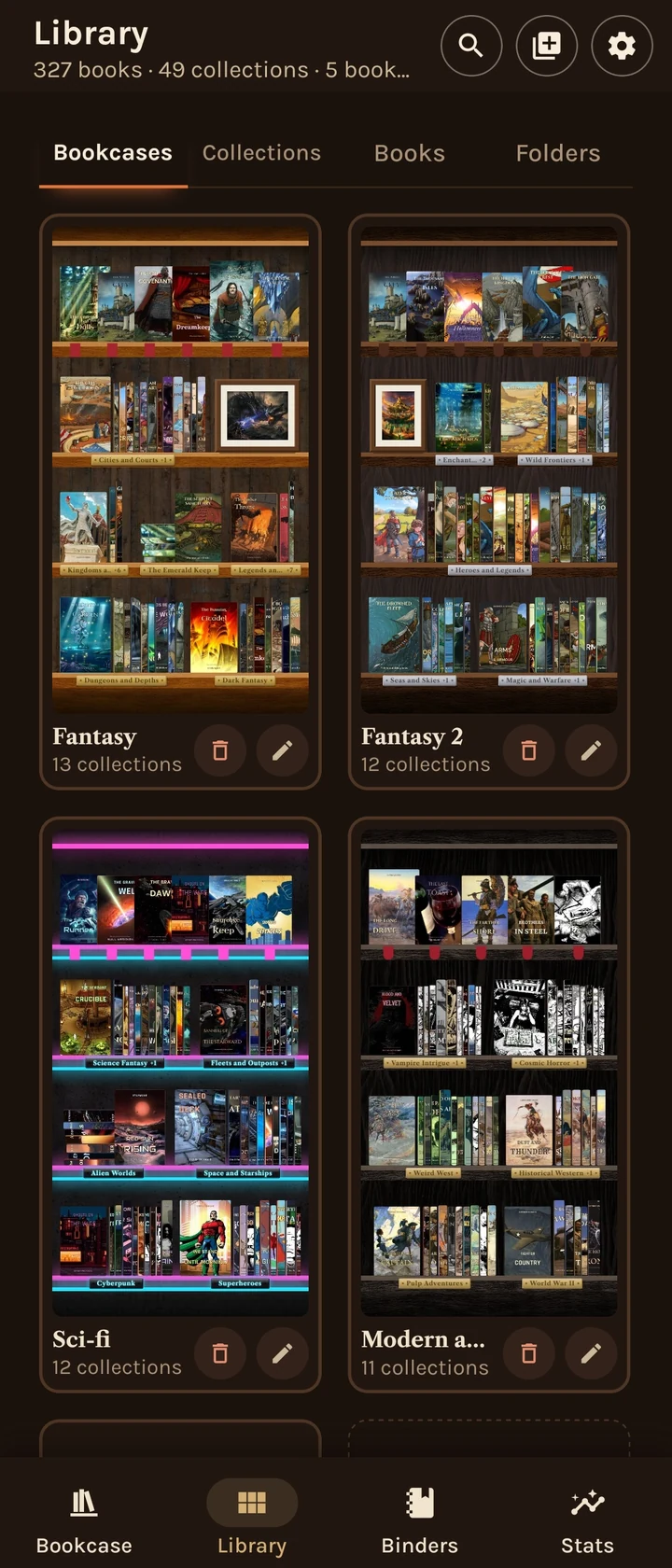
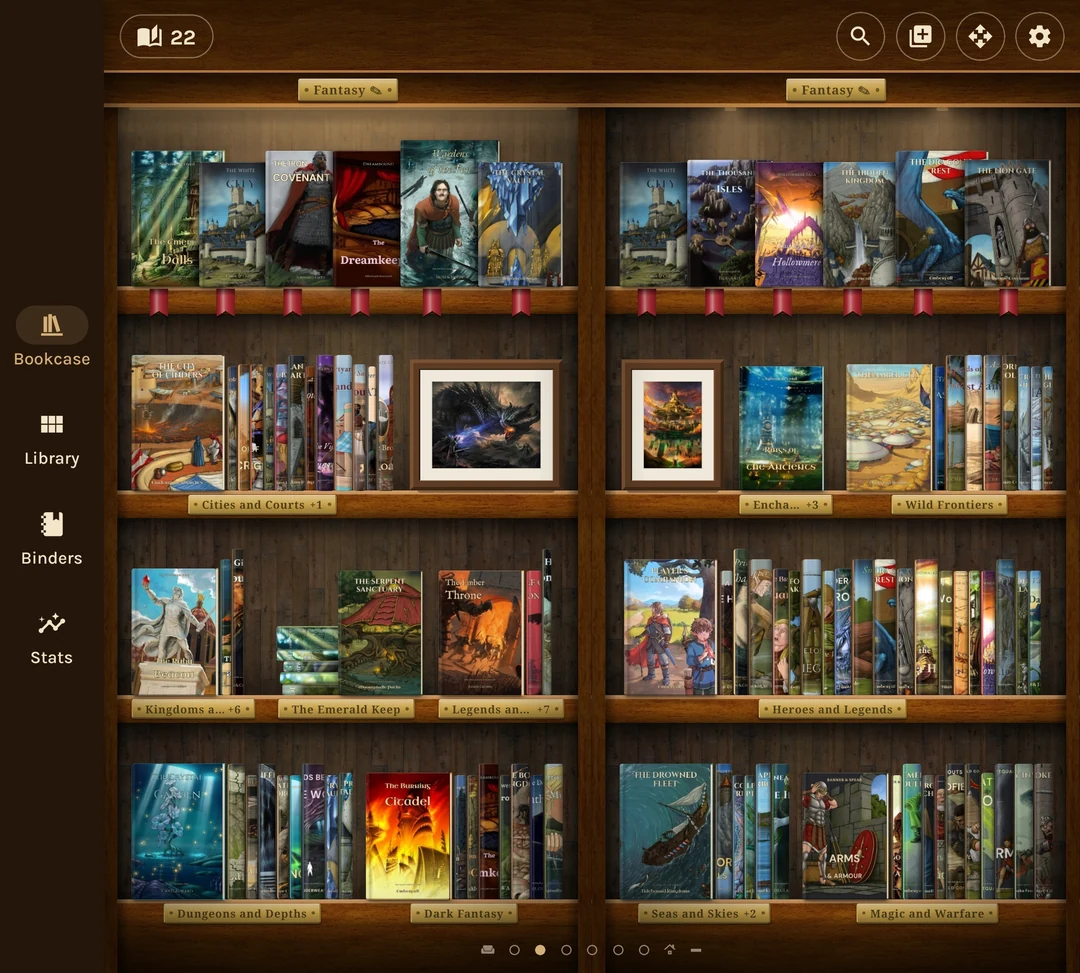
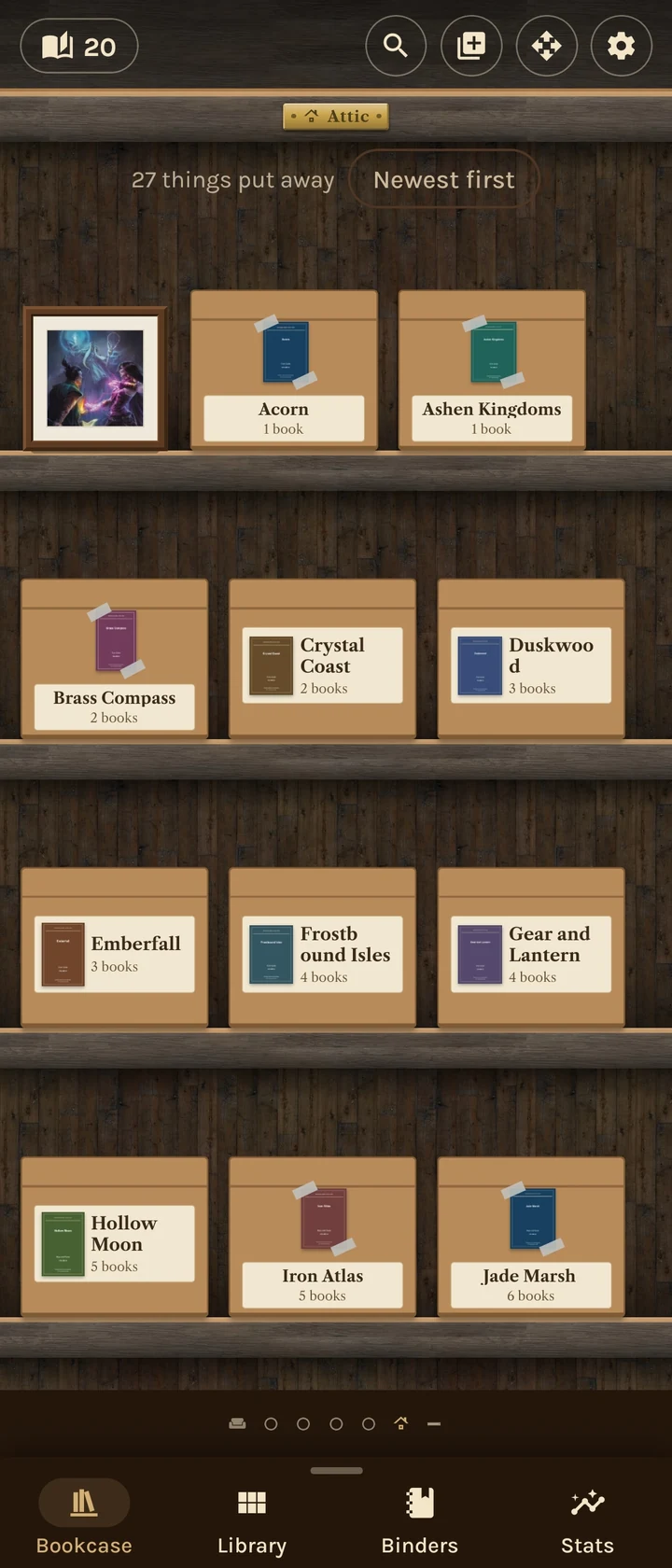
Covers and spines on real-looking bookcases. Group books into collections, stand them upright, lay them in piles, or give your favourites a display shelf.

Your collection becomes somewhere you want to spend time, with your own pictures standing among the books.

A fantasy bookcase with face-out covers, rows of spines, labelled collections and framed illustrations

The reader

Big rulebooks, fast pages

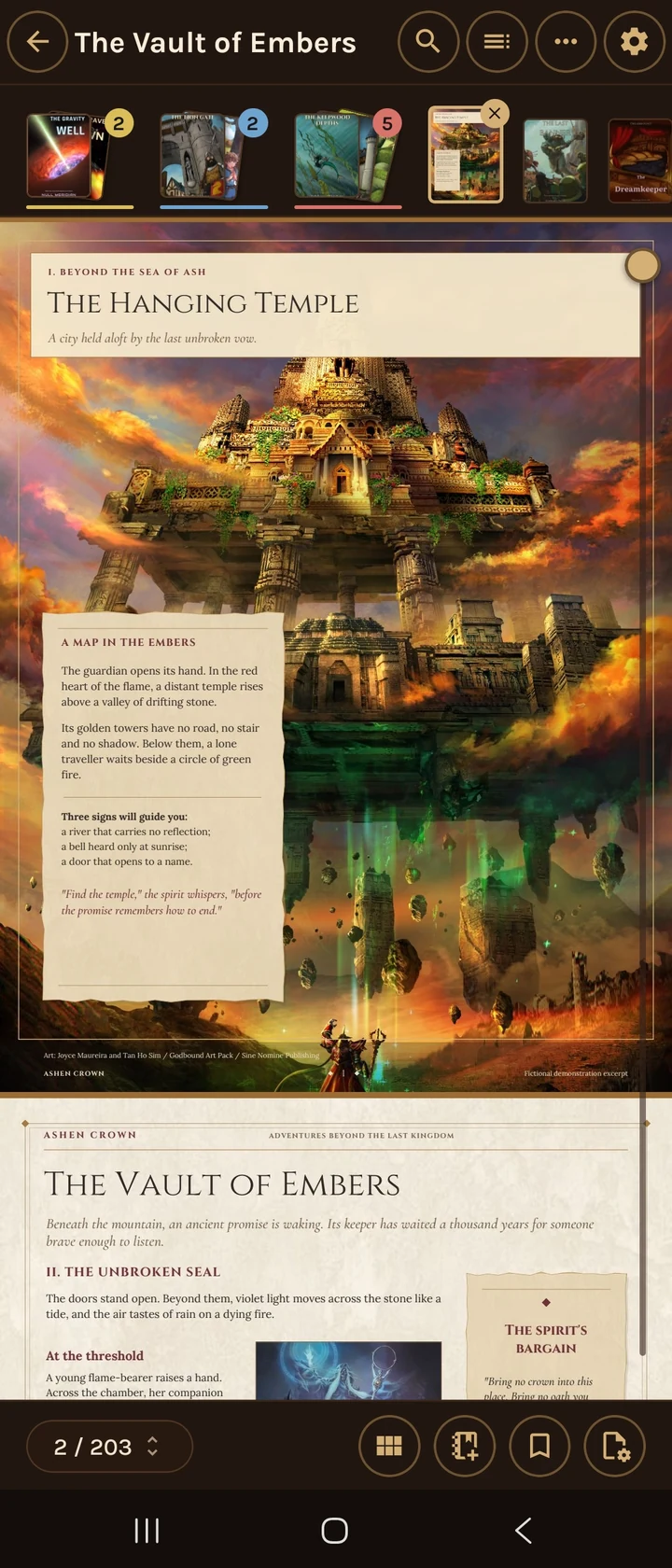
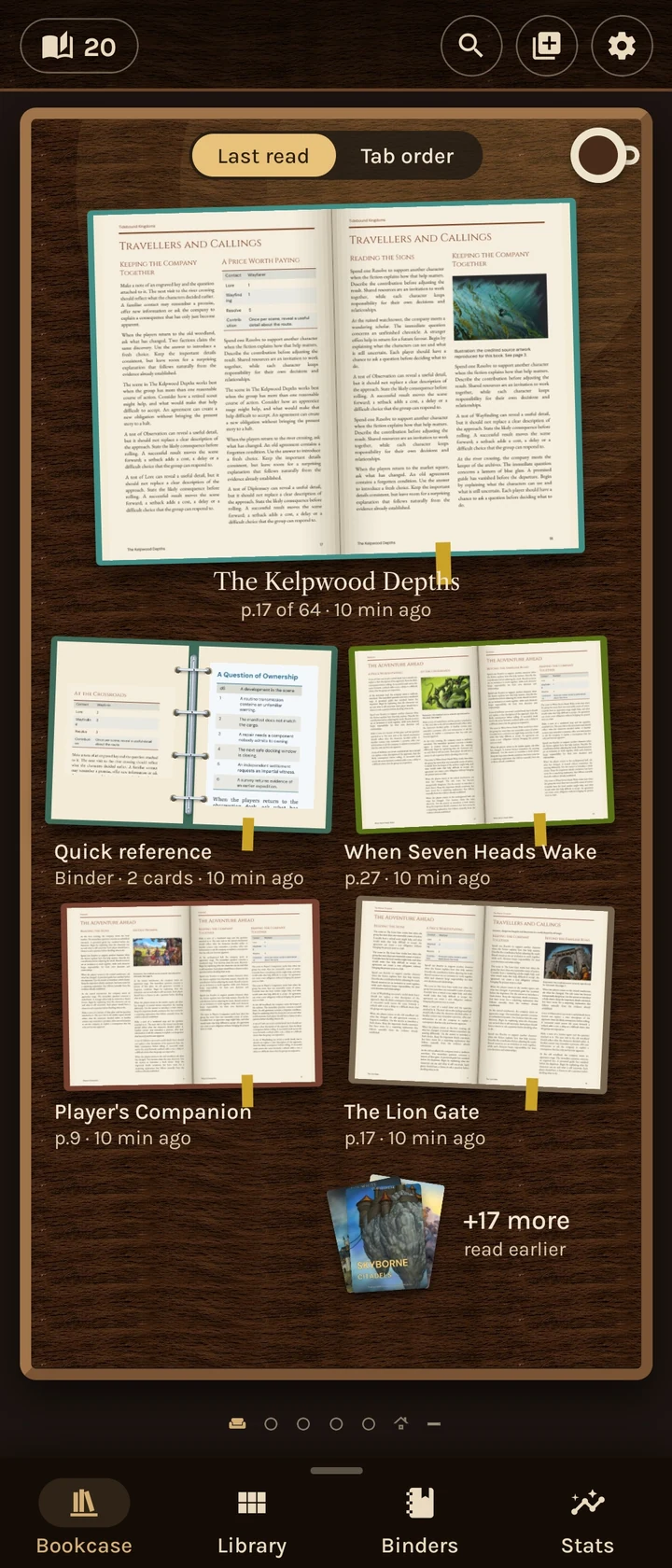
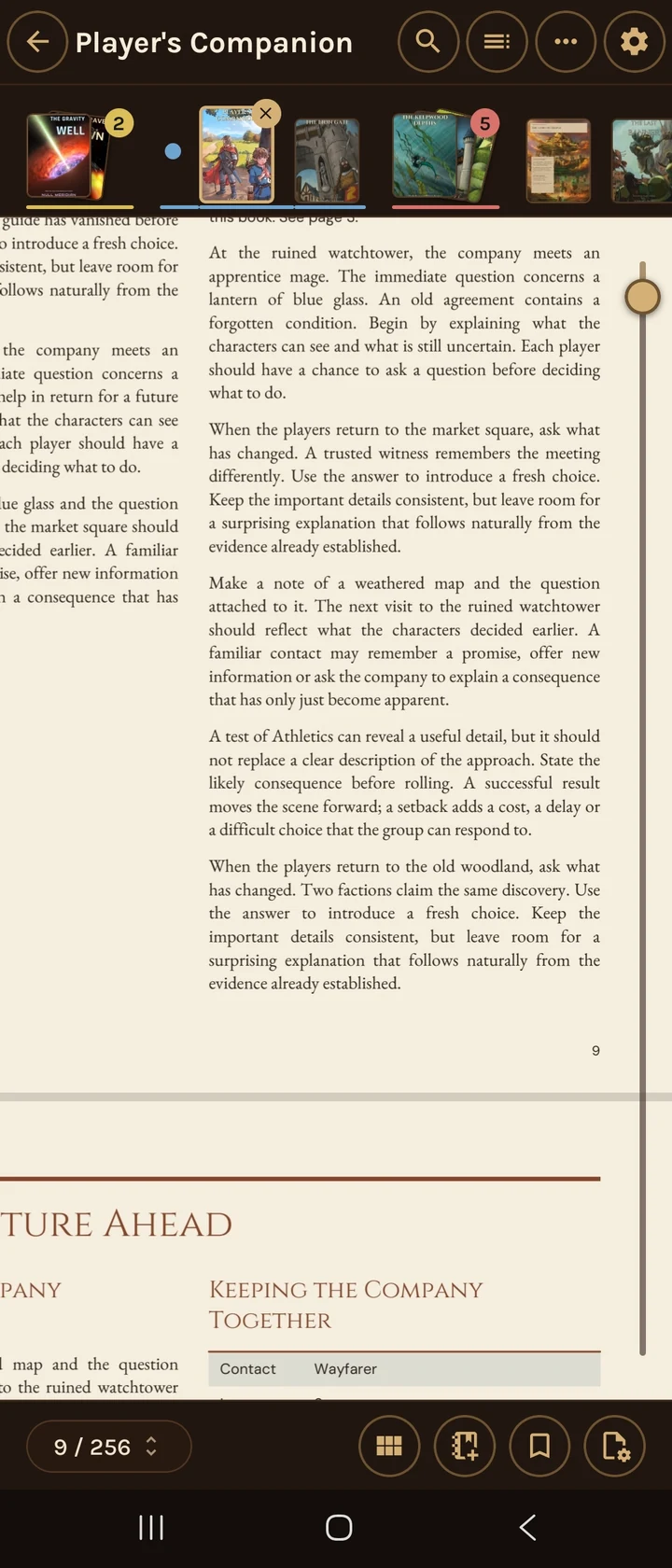
A reader built for large, art-heavy PDFs, with smooth scrolling, sharp zooming, a page grid and two pages side by side. Turn pages horizontally or scroll down through the book.

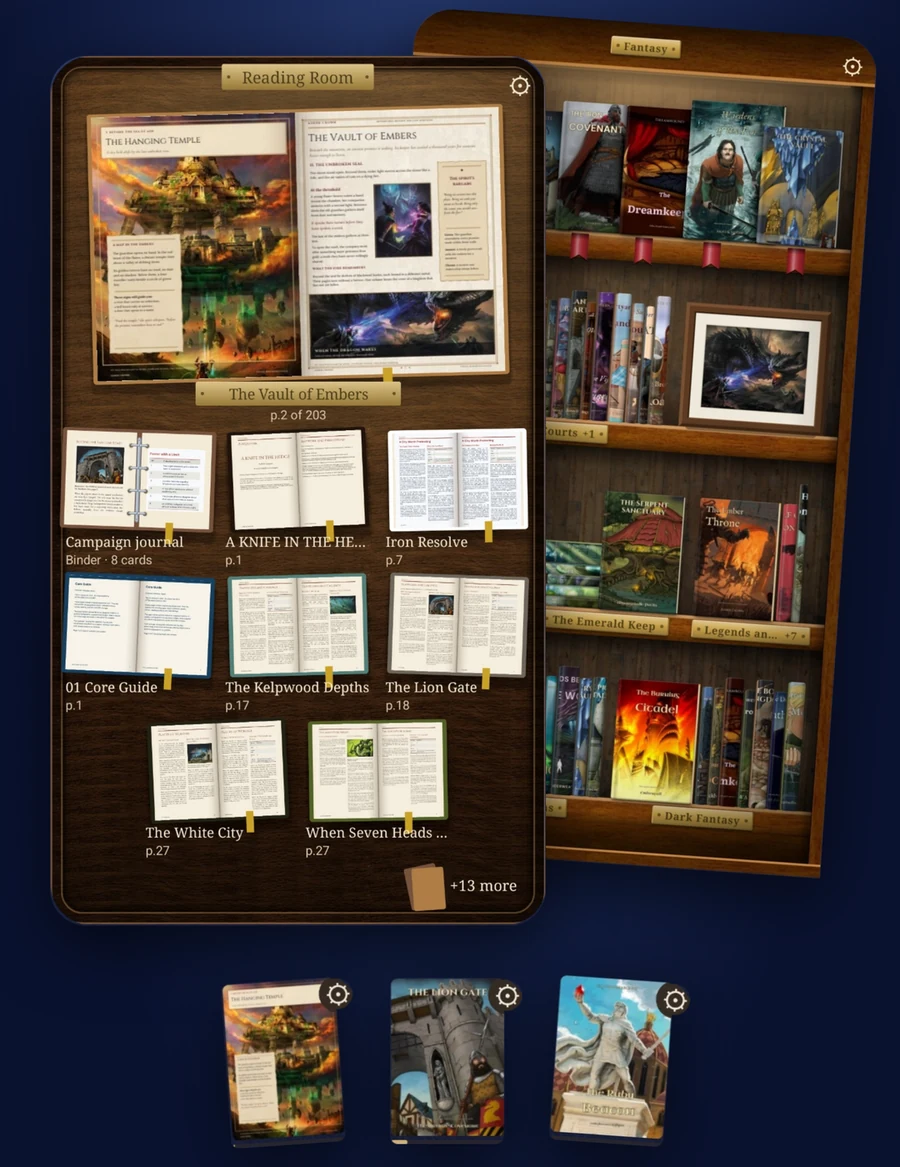
Keep the core rules, an adventure and a map open in tabs. Group your tabs and switch between books quickly at the table.

The Vault of Embers adventure open in the PDF reader, with illustrated pages and several book tabs above it

Make it yours

Make every bookcase your own

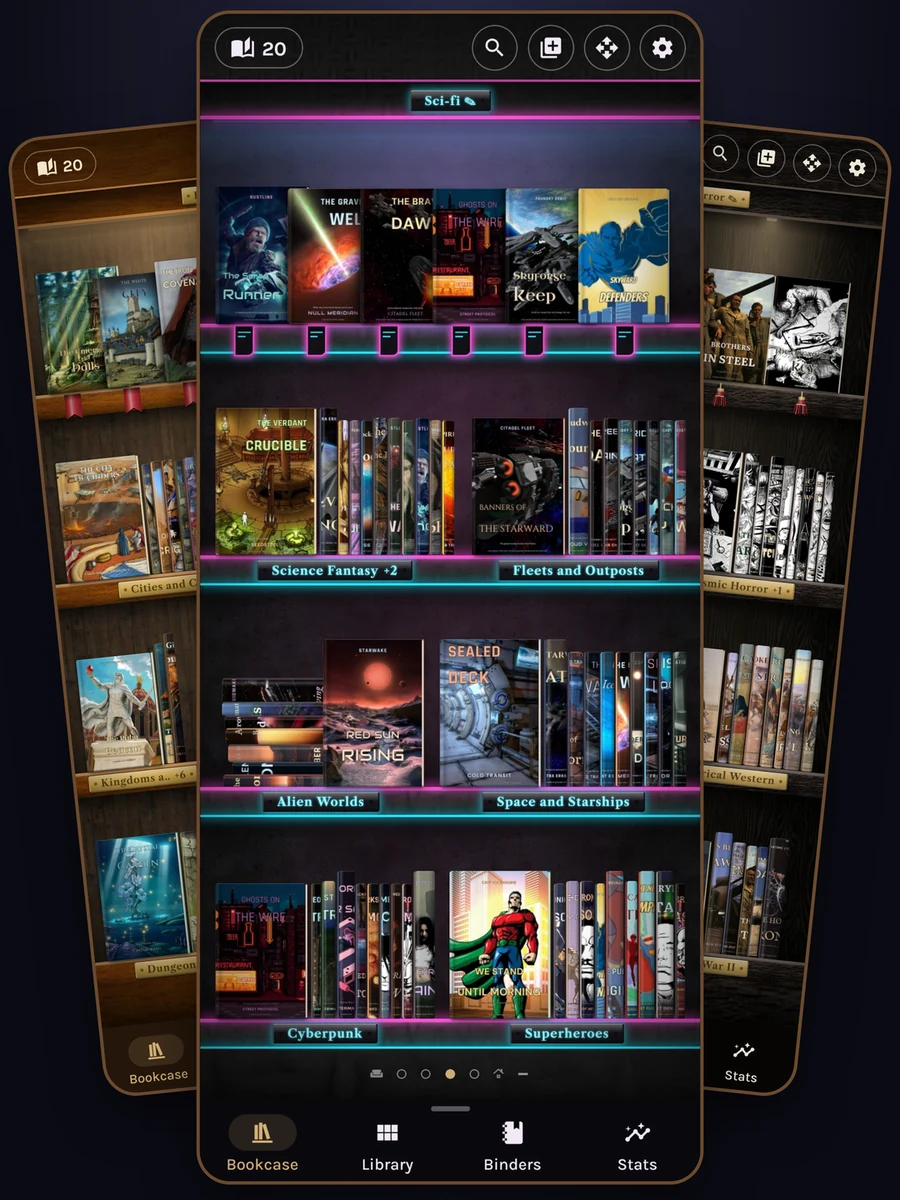
From Warm Oak to Neon City, choose a look for each bookcase. Choose an app style, adjust shelf lighting and colours, add picture frames, and arrange your books to suit the collection.

Three bookcase themes together: warm wood for fantasy, glowing Neon City for science fiction, and a dark bookcase for horror

Collections

Every book sorted the way you play

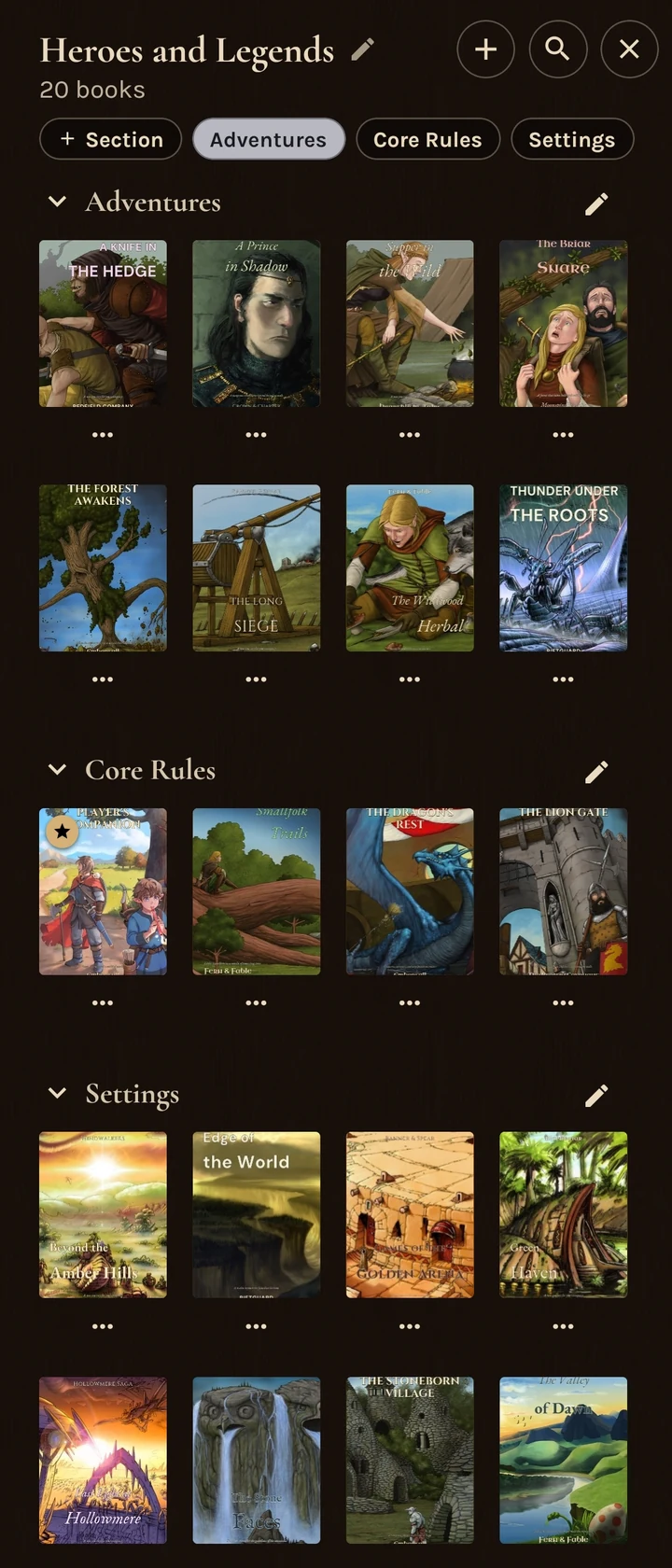
Give each collection its own sections for adventures, core rules, setting books or bestiaries. Browse their covers together and use the section buttons to jump to the books you need.

The Heroes and Legends collection, with book covers arranged under Adventures, Core Rules and Settings

Adding your books

Easily import your library

Pick a folder and preview how its books will become collections and sections before you add them. Read files where they are, or choose to keep copies inside TomeHaven.

Connected folders help you keep up with new books, without organising the same library all over again.

The Add books preview showing collections from a chosen folder, with the resulting bookcase behind it

Binders

Save the rules you need

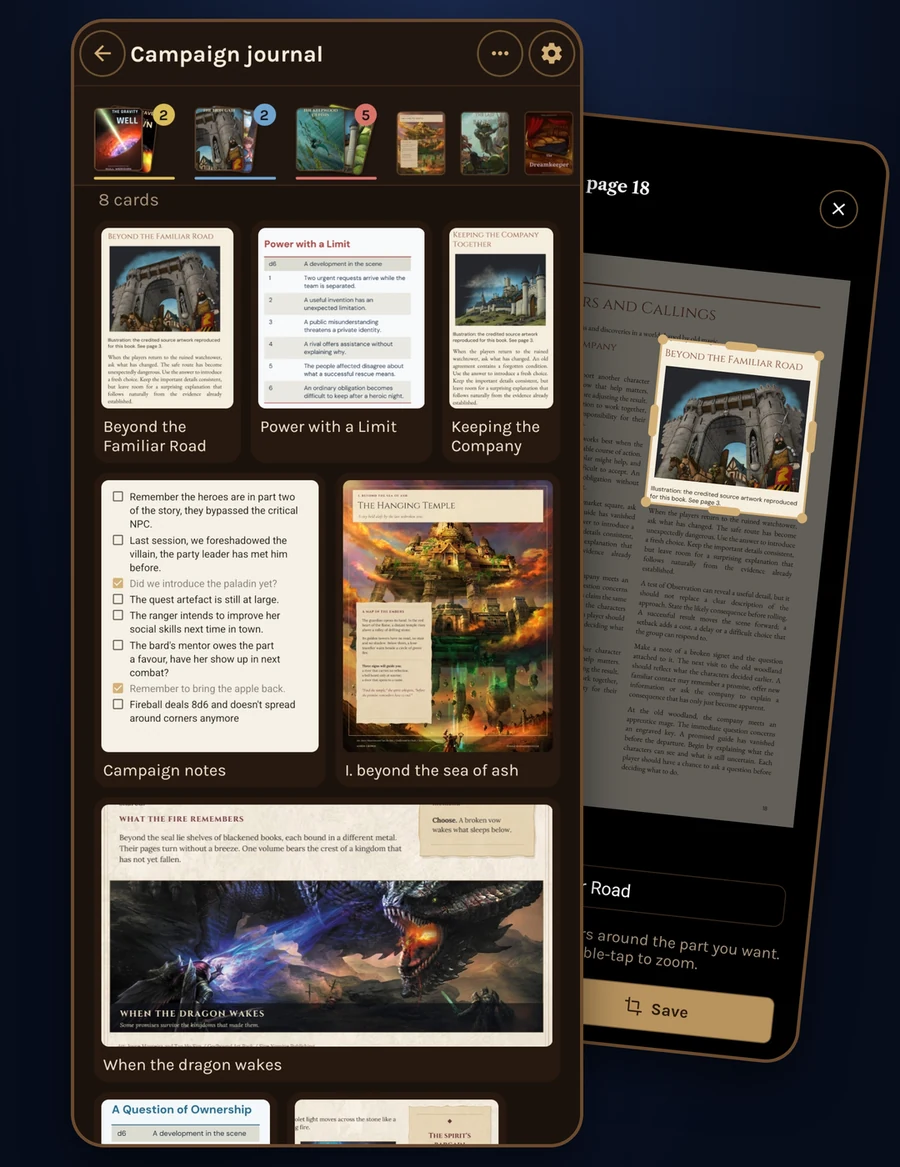
Save rules, maps and tables from your PDFs as cards, and keep them together with your own notes. Each excerpt links back to its book and page.

Build a campaign journal or a quick reference for the table, then arrange the cards in a grid or a list.

A Campaign journal binder containing rule excerpts, illustrations and notes, beside the crop tool for a new card

Library search

Search inside your whole library

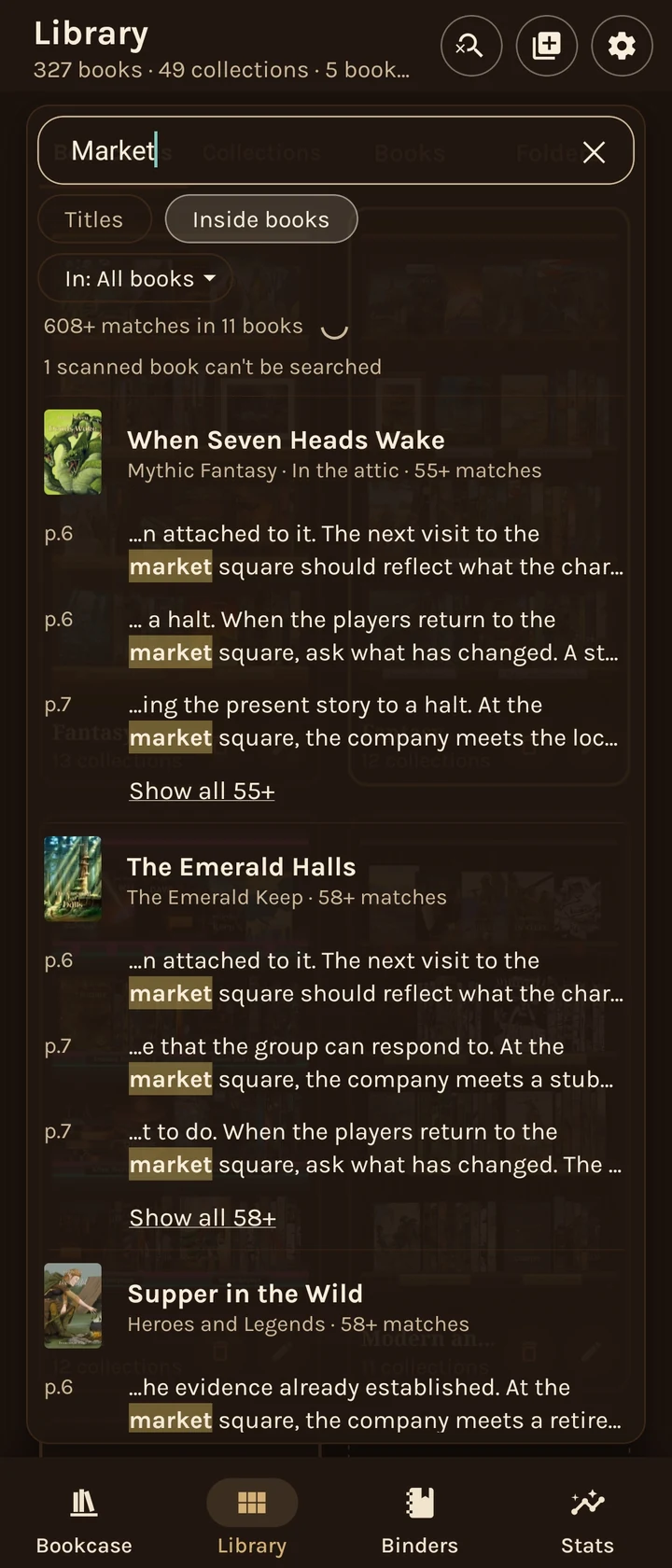
Find a rule, place or phrase across your PDFs and EPUBs in one search. Matches are grouped by book, with the surrounding text to help you find the passage you need.

Tap a match to open the book at the right page or chapter.

Searching across your library is included with TomeHaven Pro.

A search for Market inside all books, with highlighted passages grouped by book title

For the rest of your reading, too

EPUBs as well

Read EPUB books by page or by scrolling, with reading fonts, adjustable text size and a night mode.

Find it again

Search inside a book, jump between chapters, and add bookmarks, highlights and notes to keep useful passages close.

Private, with a backup you control

No account and no ads. Your books are never uploaded, and you can save a backup of your library to a file you choose.

Free and Pro

Your library and the PDF and EPUB readers are free, along with a choice of bookcase themes and one binder of up to five cards.

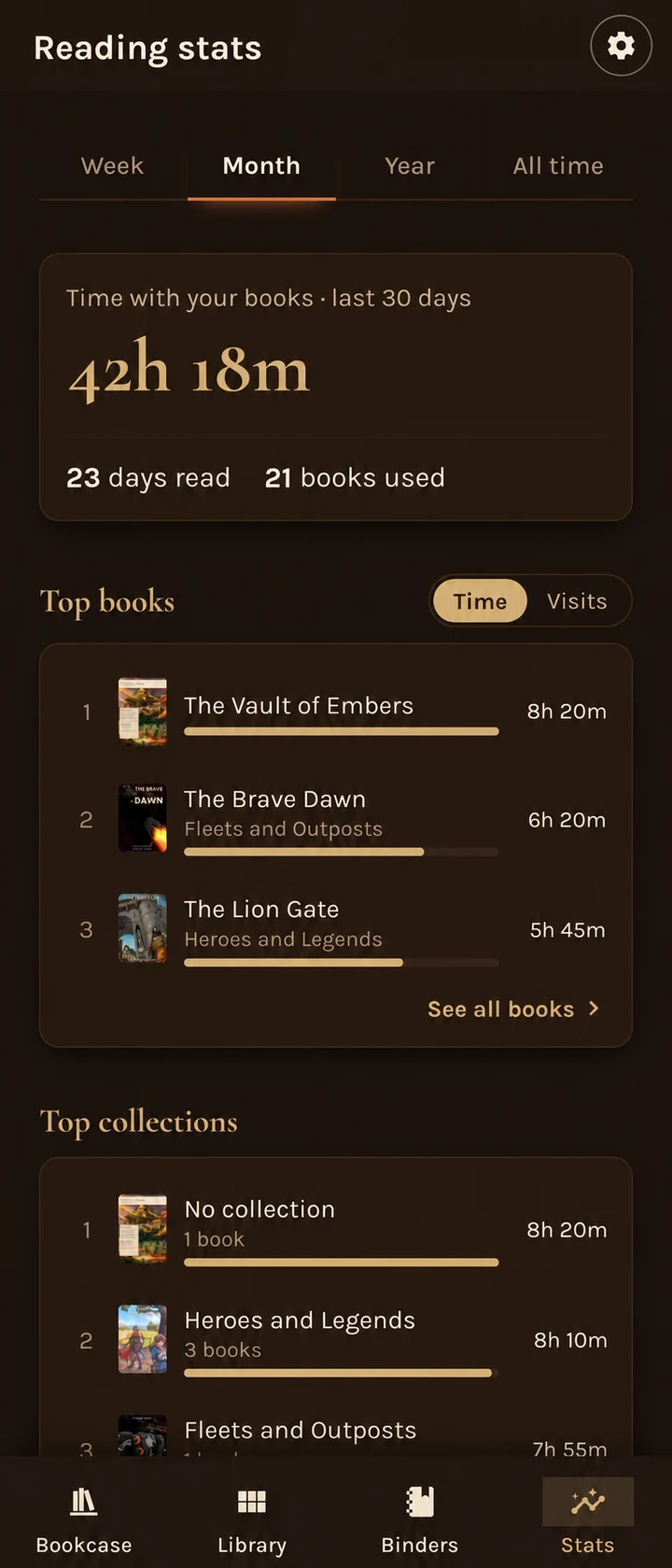
TomeHaven Pro is a subscription that adds unlimited binders and cards, more themes and shelf looks, more picture frames, search across your whole library, all home-screen widgets and the full reading statistics.

If Pro ends, your books, binders and other creations stay.

A note from the developer

Why TomeHaven exists

For me, RPG books are as much an art form as they are games, and reading them is an experience of beautiful and thoughtful craftsmanship. After a loud, fast and stressful day, I love nothing more than settling down in a dark room with my favourite books and adventures.

Nothing beats the feel of pulling a real leather-bound book from a bookshelf and settling onto a comfy sofa with a warm mug in hand. But the reality is that I read on buses, trains, and planes, in hotel rooms, on the treadmill, in bed and in the bath, and in low light. These days I mostly read on my phone or tablet, across hundreds of PDFs from Kickstarters and bundles.

I tried a lot of PDF readers, but none of them showed my collection the way it deserved, or handled art-heavy books quickly and sharply, or had features built for RPG players. Many were cluttered with tools I never needed, and some even showed adverts while I read! So I built the reader I wanted.

I built TomeHaven for a very specific purpose: to display your collection beautifully, make your books easy to organise and find, and give you a smooth, fast reading experience.

I've used TomeHaven every day for weeks now, and it has completely replaced my other readers. My wife uses it to read and display her books too.

Some days I just open the library and smile at the collection, without reading anything at all.

Thank you for reading. I hope TomeHaven brings you the same joy it brings me each day.

The developer, KodaWorks